

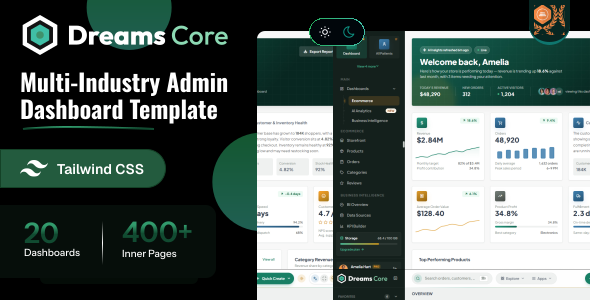
Dreams Core Next.js is a modern, responsive business management dashboard built with Next.js 16 (App Router), React 19, TypeScript, and Tailwind CSS v4. It provides prebuilt pages, reusable UI components, and powerful dashboards to manage employees, CRM, finance, inventory, projects, billing, payments, reports, and more from a single platform.
– Built with Next.js 16 App Router
– React 19 + TypeScript
– Route-group layouts ((auth-pages) and (public-pages))
– Static HTML export ready (output: "export")
– Redux Toolkit state management
– Tailwind CSS v4 (CSS-first config) with Preline v4 UI behaviours
– Light, dark and system theme modes with no flash on load
– Collapsible sidebar with hover-expand and a mobile overlay
– Sidebar translations: English, French, German and Arabic
– Around 500 prebuilt pages across 25+ business modules
– ApexCharts & Chart.js
– FullCalendar and drag & drop kanban boards
– Phosphor, Lucide & Font Awesome icon fonts
– React Compiler enabled
– Fully Responsive Design
– Compatible Browsers: Firefox, Safari, Opera, Edge, Chrome
– Easy to Customize with css Variables
Project Overview
The project follows a modular structure with clear separation of concerns.
nextjs/
├── public/
│   └── assets/img/          # logo.svg, logo-dark.svg, logo-small.svg, favicon.png, apple-icon.png, avatar, card, product...
├── src/
│   ├── app/                 # App Router
│   │   ├── (auth-pages)/         # sign-in, register, error and other auth pages -> AuthLayout
│   │   ├── (public-pages)/       # all application pages -> ProtectedRoute + PublicLayout
│   │   ├── layout.tsx            # root layout
│   │   ├── not-found.tsx
│   │   └── page.tsx
│   ├── components/          # shared UI components
│   ├── config/metadata.ts   # getPageMetadata() helper
│   ├── core/                # auth, data (shared TS types), errors
│   ├── hooks/               # useDataTable, useForm, useToast, useWizard...
│   ├── layout/              # authLayout, publicLayout
│   ├── providers/           # LayoutSync.tsx, PrelineInit.tsx, StoreProvider.tsx
│   ├── redux/               # store.ts, hooks.ts, slices/ (authSlice, layoutSlice)
│   ├── routes/              # all_routes.tsx (path constants), authGuards.tsx, routeTitles.ts
│   ├── style/css/           # style.css (theme tokens + Tailwind entry), custom.css, date-range-picker.css
│   ├── utils/               # theme.ts, sidebar.ts, json/ (sidebar menu + translations)
│   ├── views/               # page modules
│   ├── environment.tsx
│   └── instrumentation-client.ts
├── eslint.config.mjs
├── next.config.ts
├── package.json
├── postcss.config.mjs
└── tsconfig.json
Route groups inside (public-pages)
(account), (accounting-module), (ai-analytics), (application), (banking-module), (business-intelligence-module), (crm-module), (crypto-analytics), (dashboard), (ecommerce), (finance-module), (food-delivery), (hospital-management), (hotel-management), (hrm-module), (insights-module), (lms-analytics), (logistics-module), (management-module), (pages), (project-management), (reports), (restaurant-pos), (sales-analytics-module), (school-management), (seo-analytics), (travel-booking), (ui-interface)
Folders wrapped in parentheses are route groups. They organise files without adding a URL segment, so (ui-interface)/ui-accordion/page.tsx is served at /ui-accordion.
Shared Components (src/components/)
breadcrumb, carousel, charts, common-footer, common-header, common-sidebar, data-table, date-picker, date-range-picker, drawer, error-boundary, filter-drawer, form-feedback, image-with-base-path, import-export, modal, password-input, preview-code-toggle, range-slider, scroll-to-top, select, skeleton, submit-button, tag-input, time-picker, toast, ui, wizard
Page Modules (src/views/)
account, accounting-module, ai-analytics, application, auth-pages, banking-module, business-intelligence-module, crm-module, crypto-analytics, dashboard, ecommerce, finance-module, food-delivery, hospital-management, hotel-management, hrm-module, insights-module, lms-analytics, logistics-module, management-module, pages, project-management, reports, restaurant-pos, sales-analytics-module, school-management, seo-analytics, travel-booking, ui-interface
Structure Overview
Dreams Core Next.js uses the App Router with route groups and nested layouts to keep the app scalable and maintainable.
Layouts nest from the outside in: the root src/app/layout.tsx renders the <html> and <body> shell, then each route group applies its own layout.
| ROUTE GROUP | LAYOUT |
|---|---|
(public-pages) | ProtectedRoute + PublicLayout – sidebar + header shell |
(auth-pages) | AuthLayout – bare |
Each group layout is a small file that delegates to the matching component in src/layout/.
Below is the root layout, src/app/layout.tsx:
import { appMetadata } from "../config/metadata";
import LayoutSync from "../providers/LayoutSync";
import PrelineInit from "../providers/PrelineInit";
import StoreProvider from "../providers/StoreProvider";
import { THEME_STORAGE_KEY } from "../utils/theme";

import "@phosphor-icons/web/regular/style.css";
import "@phosphor-icons/web/fill/style.css";
import "@phosphor-icons/web/duotone/style.css";
import "lucide-static/font/lucide.css";
import "@fortawesome/fontawesome-free/css/all.min.css";

import "flatpickr/dist/flatpickr.min.css";
import "../style/css/date-range-picker.css";
import "../style/css/style.css";
import "../style/css/custom.css";

export const metadata = appMetadata;

export default function RootLayout({ children }: { children: ReactNode }) {
  return (
    <html lang="en" data-theme="light" suppressHydrationWarning>
      <head>
        <script dangerouslySetInnerHTML={{ __html: themeScript }} />
        <link href="https://fonts.googleapis.com/css2?family=Plus+Jakarta+Sans..." rel="stylesheet" />
      </head>
      <body>
        <StoreProvider>
          <LayoutSync />
          <PrelineInit />
          {children}
        </StoreProvider>
      </body>
    </html>
  );
}
Things worth noting in the root layout
- The
metadataexport – Next's Metadata API sets the title, description and icons, built insrc/config/metadata.ts. - The inline theme script – it reads
localStorage["dreamscore-theme"]and appliesdata-themebefore first paint, which prevents a flash of the wrong theme. - Plus Jakarta Sans via Google Fonts – loaded with a preconnect and stylesheet link in the head.
PrelineInit– initialises Preline's UI behaviours on the client.
Page metadata and paths
Individual pages export generateMetadata using the getPageMetadata(pageName) helper from src/config/metadata.ts, with titles kept in src/routes/routeTitles.ts. The src/routes/all_routes.tsx file is the central map of path constants used for links and navigation.
Prerequisites
Node.js and NPM :
Ensure that Node.js is installed and running on your system.
https://nodejs.org/en/download/
Package Manager
Use npm (recommended with this project lockfile) or Yarn if preferred.
npm -vNext.js
Next.js is the framework and build tool. It is installed automatically as a project dependency – no global installation required.
https://nextjs.org/
Installation Steps
Extract & Navigate
After downloading, extract the Dreams Core package and navigate to the nextjs directory.
Install Dependencies
npm installBefore proceeding you'll need to install npm packages. You can do this by running npm install from the root of your project to install all the necessary dependencies.
Start Development Server
npm run devFor running a project, run the command
Open in Browser
Open your browser at http://localhost:3000/. Local development runs at the root and redirects to the dashboard (signed-out users are sent on to the login page); only production builds use the /nextjs base path (see basePath in next.config.ts).
Build for Production
npm run buildBecause output: "export" is set, this produces a static HTML export in the out/ directory, which can be served by any static host under the /nextjs path. Change basePath in next.config.ts if you deploy at the domain root. The next start script is not the intended way to serve a static export.
CSS-first configuration
This project uses Tailwind CSS v4, which is configured in CSS rather than JavaScript. There is no tailwind.config.js and no content array. Tailwind is wired in through the PostCSS plugin @tailwindcss/postcss.
The PostCSS setup in postcss.config.mjs is the whole integration:
const config = {
  plugins: {
    "@tailwindcss/postcss": {},
  },
};

export default config;
The configuration lives at the top of src/style/css/style.css:
@import url("https://fonts.googleapis.com/css2?family=Plus+Jakarta+Sans:ital,wght@0,200..800;1,200..800&family=Noto+Sans+Arabic:wght@100..900&display=swap");

@import "tailwindcss";
@import "../../../node_modules/preline/variants.css";
@source not "../../../dist";

@layer theme, base, components, utilities;
@custom-variant dark (&:where([data-theme="dark"], [data-theme="dark"] *));
What each directive does
@import "tailwindcss"– loads Tailwind's layers, preflight and utilities.@import "preline/variants.css"– Preline v4 variants used for dropdowns, overlays and tabs; initialised on the client byPrelineInit.@source not– keeps Tailwind from scanning thedistbuild output.@custom-variant dark– makes everydark:utility key off thedata-themeattribute.
src/style/css/custom.css holds component-level overrides layered on top of the theme tokens in style.css.
You can easily update the logo in two ways:
Option 1: Overwrite Logo Image Files (Recommended)
Directly replace the default SVG logo files in the public/assets/img/ directory with your own logos using the same file names:
logo.svg: Main logo (shown in the sidebar).logo-small.svg: Small square logo (shown when the sidebar is collapsed and in the mobile header).logo-dark.svg: Logo variant used on the authentication pages.
Option 2: Update the React Components
If you want to use different names or paths, open src/components/common-sidebar/commonSidebar.tsx and src/components/common-header/commonHeader.tsx, then search for the logo tags and modify their src attribute.
About image paths
Images are rendered as plain <img> tags rather than next/image – the @next/next/no-img-element ESLint rule is intentionally disabled. basePath is not applied to raw <img> tags, so asset paths are prefixed with base_path from src/environment.tsx, which mirrors basePath from next.config.ts.
The default typography font for the template is Plus Jakarta Sans (with Noto Sans Arabic as a fallback). It is loaded in two places, and both must be updated when you change it:
1. The Google Fonts link in src/app/layout.tsx
<link
  href="https://fonts.googleapis.com/css2?family=Inter:wght@100..900&display=swap"
  rel="stylesheet"
/>
2. The import and tokens in src/style/css/style.css
/* Import the new Google Font at the very top of style.css */
@import url("https://fonts.googleapis.com/css2?family=Inter:wght@100..900&display=swap");

/* Update the variables inside the @theme block */
@theme {
    --font-sans: "Inter", ui-sans-serif, system-ui, sans-serif;
    --font-display: "Inter", ui-sans-serif, sans-serif;
}All theme colors are defined as design tokens under the @theme directive in your src/style/css/style.css file. These variables control the look and feel of components:
@theme {
    --font-sans: "Plus Jakarta Sans", "Noto Sans Arabic", ui-sans-serif, system-ui, sans-serif;

    --color-primary-500: #24997c;
    --color-primary-600: #187f65;
    --color-primary: var(--color-primary-600);   /* brand: deep teal */

    --color-accent-500: #e8830f;
    --color-accent: var(--color-accent-500);     /* brand: warm copper */

    /* Semantic colors */
    --color-success: var(--color-success-600);
    --color-warning: var(--color-warning-600);
    --color-danger: var(--color-danger-600);
    --color-info: var(--color-info-600);
}
Every brand and semantic color ships with a full 50–950 shade scale (for example --color-primary-50 to --color-primary-950), plus a neutral scale for surfaces and text.
Changing Element Colors
To re-brand the whole template, point the main token at a different shade of its scale. Every component that uses primary follows:
@theme {
    --color-primary: var(--color-primary-700);
}How it Works
The theme mode (light, dark or system) is managed in Redux and persisted to localStorage under the key dreamscore-theme. A sync component writes the resolved theme to a data-theme attribute on the <html> element, which a Tailwind custom variant reads to apply dark: utility classes.
The mode lives in src/redux/slices/layoutSlice.ts, and src/providers/LayoutSync.tsx is the single bridge that writes it to the DOM:
document.documentElement.setAttribute("data-theme", resolveTheme(themeMode));In src/style/css/style.css, a custom Tailwind variant reacts to that attribute so any dark: utility applies automatically:
@custom-variant dark (&:where([data-theme="dark"], [data-theme="dark"] *));

/* usage example */
<div class="bg-white dark:bg-neutral-900"></div>
Server rendering: avoiding a hydration mismatch
The server has no localStorage, so the theme has to be resolved carefully in two stages.
1. A per-request store – src/providers/StoreProvider.tsx seeds the store from storage. On the server the readers return their defaults, matching the prerendered HTML; in the browser they read the saved values:
const [store] = useState(() =>
  makeStore({ auth: readStoredAuth(), layout: readStoredLayout() })
);
2. A pre-paint script – the root layout runs a small blocking script in <head> that applies the saved theme before the browser paints, so a dark-mode user never sees a flash of the light theme:
(function () {
  try {
    var m = localStorage.getItem("dreamscore-theme") || "light";
    if (m === "system")
      m = window.matchMedia("(prefers-color-scheme: dark)").matches ? "dark" : "light";
    document.documentElement.setAttribute("data-theme", m === "dark" ? "dark" : "light");
  } catch (e) {}
})();
Because that script mutates the DOM before React hydrates, the root <html> element carries suppressHydrationWarning.
Dreams Core includes multiple popular icon packages ready for use. They are installed from npm and imported in src/app/layout.tsx. You can use any of the following icon libraries:
1. Lucide Icons
Use Lucide icons with the icon-[name] class prefix:
<i class="icon-house"></i>
<i class="icon-users"></i>
<i class="icon-settings"></i>
2. Phosphor Icons
Use Phosphor icons with the ph-[style] ph-[name] prefix classes. The duotone, regular and fill styles are imported:
<i class="ph-duotone ph-plus-circle"></i>
<i class="ph-fill ph-calendar"></i>
<i class="ph ph-user"></i>
3. Font Awesome Icons
Use Font Awesome Free icons with standard classes:
<i class="fa-solid fa-hashtag"></i>
<i class="fa-brands fa-react"></i>Dreams Core ships a single application shell (src/layout/publicLayout.tsx) with a responsive sidebar, topbar and content area, plus a bare authLayout for the sign-in and error pages. Sidebar behaviour is driven from Redux (src/redux/slices/layoutSlice.ts):
type LayoutState = {
  themeMode: ThemeMode;        // "light" | "dark" | "system"
  language: Language;          // "en" | "fr" | "de" | "ar"
  sidebarCollapsed: boolean;   // persisted as "dreamscore-sidebar-collapsed"
  mobileSidebarOpen: boolean;
};
All layouts support light and dark modes.
The default vertical layout with a left sidebar, topbar, and center content area. It is applied by the (public-pages) route group.
- Sidebar: Navigation menu, logo, and collapsible dropdowns, built from
src/utils/json/sidebarMenu.ts. - Topbar: Search input, language and theme switchers, alerts, and profile actions.
- Responsive: Collapses into an overlay sidebar on tablets and mobile screens automatically.
A screen-saving option that collapses the sidebar to show icons only. When sidebarCollapsed is true, publicLayout.tsx adds the is-collapsed class to the .app-shell wrapper.
- Icon View: Collapses the sidebar to maximize the main work area.
- Hover Expand: Hovering over the collapsed sidebar expands it to reveal module text labels.
- Toggle: Switch between default and mini sidebar using the collapse button in the sidebar. The choice is remembered in
localStorage.
Dreams Core comes with 24+ pre-styled UI components. The routes live in src/app/(public-pages)/(base-ui)/ with their views in src/views/ui-interface/, or click below to view their live layouts:
Dreams Core is developed by Dreams Technologies and is available under both Envato Extended & Regular License options.
Regular License
Usage by either yourself or a single client is permitted for a single end product, provided that end users are not subject to any charges.
Extended License
For use by you or one client in a single end product for which end users may be charged.
What are the main differences between the Regular License and the Extended License?
If you operate as a freelancer or agency, you have the option to acquire the Extended License, which permits you to utilize the item across multiple projects on behalf of your clients.
| NAME | URL |
|---|---|
| Next.js | https://nextjs.org/ |
| React | https://react.dev/ |
| Ant Design | https://ant.design/ |
| Tailwind CSS | https://tailwindcss.com/ |
| Preline | https://preline.co/ |
| Redux Toolkit | https://redux-toolkit.js.org/ |
| React ApexCharts | https://www.npmjs.com/package/react-apexcharts |
| Chart.js | https://www.chartjs.org/ |
| ECharts | https://echarts.apache.org/ |
| FullCalendar | https://fullcalendar.io/ |
| Hello Pangea DnD | https://www.npmjs.com/package/@hello-pangea/dnd |
| React Quill New | https://www.npmjs.com/package/react-quill-new |
| noUiSlider | https://refreshless.com/nouislider/ |
| React Select | https://react-select.com/ |
| React Window | https://www.npmjs.com/package/react-window |
| Yet Another React Lightbox | https://yet-another-react-lightbox.com/ |
| Fontawesome | https://fontawesome.com/ |
| Phosphor Icons | https://phosphoricons.com/ |
| Lucide | https://lucide.dev/ |
If you have any questions or run into issues with the template, feel free to contact us via email at support@dreamstechnologies.com.
Response Time: Typically 12–24 hours on weekdays (GMT+5:30). Support covers template bugs, errors, and standard features. It does not cover custom installations or custom coding changes.
Contact SupportDo you need custom development for your application?
If you need customization, new page integration, feature setups, or database connections, our engineering team can help tailor this template to your precise specifications.
- Tailoring features to your exact branding and workflow.
- Deploying the template to your production servers.
- Integrating backend endpoints and databases.

Thank You
Thank you for choosing Dreams Core! We hope this template facilitates building your application. We kindly ask you to share your feedback by leaving a rating on ThemeForest.
Leave a Review