
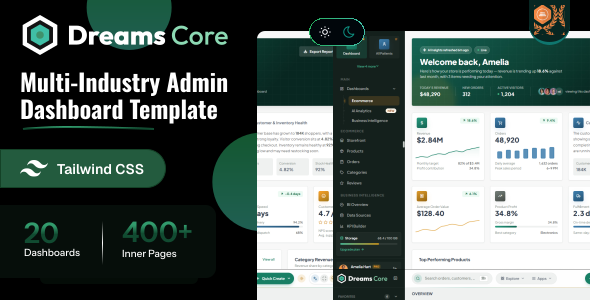
Dreams Core is a modern, responsive business management dashboard template built with Tailwind CSS. It provides a comprehensive collection of pre-built pages, reusable UI components, and powerful dashboards to streamline business operations from a single platform. Manage employees, CRM, finance, inventory, projects, billing, payments, expenses, reports, and more with an intuitive and user-friendly interface.
System Overview
The Dreams Core template runs on any standard PHP
hosting. It needs PHP 8.2 or newer and a web server such as
Apache with mod_rewrite. Node.js is only required if
you want to rebuild the Tailwind CSS.
Core Technologies
Programming Language
PHP 8.4
Frontend Framework
Tailwind 4.3.3
Web Server
Apache 2.4 / Nginx
System Requirements
URL Rewriting
Apache mod_rewrite (included .htaccess) or PHP built-in server
PHP Extensions
mbstring, json and session (enabled by default in PHP)
Node.js
Optional – only to rebuild the Tailwind CSS
Text Editor
VS Code, Sublime Text, or any code editor
Development Tools
Local Server
XAMPP/WAMP/MAMP
Version Control
Git
Web Browser
Any modern browser
Important Note
Make sure the .htaccess file is uploaded
and mod_rewrite is enabled on your server. For
production deployment, use a hosting service that supports
PHP 8.2 or newer.
Dreams Core offers 3 powerful dashboard variations and 10+ fully functional, prebuilt application modules with a clean, modular structure.
Prebuilt Applications
- Employee & CRM Management
- Finance, Inventory & Project Scheduling
- Payments, Expenses & Revenue Reports
- Sales, Campaigns & Lead Management
- Built-in Chat & File Manager
Layout & Mode Features
- Dashboard Added
- Full responsive design (Mobile, Tablet, Desktop)
- Built-in Light / Dark Mode Toggle
- Full RTL Layout Direction Support
- Layout Direction Variations
Project Overview
The Dreams Core PHP project is a simple, framework-free structure with the
application located in dreams-core/php/. Every page lives in src/,
shared markup lives in layouts/, components/ and partials/,
and all static files are inside assets/.
dreams-core/
└── php/
    ├── src/                      (one PHP file per page)
    │   ├── index.php
    │   ├── login.php
    │   └── ...
    │
    ├── layouts/
    │   ├── mainlayout.php        (sidebar, topbar, breadcrumb, content, footer)
    │   └── authlayout.php        (sign in, register, error pages)
    │
    ├── components/
    │   └── modal-popup.php       (page specific modals and drawers)
    │
    ├── partials/
    │   ├── title-meta.php
    │   ├── head-css.php
    │   ├── sidebar.php
    │   ├── topbar.php
    │   ├── breadcrumb.php
    │   ├── footer.php
    │   ├── vendor-scripts.php
    │   └── session.php
    │
    ├── assets/
    │   ├── css/
    │   ├── js/
    │   ├── img/
    │   └── libs/
    │
    ├── .htaccess
    ├── router.php
    ├── composer.json
    ├── package.json
    └── README.md
PHP Template Structure
Dreams Core uses plain PHP with a master layout file and individual page files for consistent design and functionality. Each page sets a few variables, captures its content and loads the layout. Below are the actual files from the project.
Main Layout File
This is the master layout (layouts/mainlayout.php)
that provides the common HTML structure, navigation, and scripts for all pages:
<?php require_once __DIR__ . '/../partials/session.php'; ?>
<!DOCTYPE html>
<html lang="en">

<head>
    <?php require __DIR__ . '/../partials/title-meta.php'; ?>

    <?php require __DIR__ . '/../partials/head-css.php'; ?>
</head>

<body>

    <div class="app-shell">

        <?php require __DIR__ . '/../partials/sidebar.php'; ?>

        <div class="app-main">

            <?php require __DIR__ . '/../partials/topbar.php'; ?>

            <?php require __DIR__ . '/../partials/breadcrumb.php'; ?>

            <?= $content ?>

            <?php require __DIR__ . '/../partials/footer.php'; ?>

        </div>

    </div>

    <?php require __DIR__ . '/../components/modal-popup.php'; ?>

    <?php require __DIR__ . '/../partials/vendor-scripts.php'; ?>

</body>
</html>
Sample Page Template
Create a new file in the src/ folder, for example
src/my-page.php:
<?php
$page = 'my-page';
$title = 'My Page';
$breadcrumb = 'My Page';
ob_start();
?>
<main class="p-4 lg:p-6 space-y-6 max-w-full mx-auto w-full">

    <!-- Your page content -->

</main>
<?php
$content = ob_get_clean();
?>
<?php require __DIR__ . '/../layouts/mainlayout.php'; ?>
Key Template Features
Master Layout
layouts/mainlayout.php wraps every
page with the sidebar, topbar and footer
Page Variables
$title, $breadcrumb and
$content are passed to the layout
Partials
require reusable files from
partials/ (topbar, sidebar, footer)
Page Conditions
if ($page === 'my-page') loads page
specific styles, scripts and modals
Modal Component
components/modal-popup.php holds the
modals and drawers of each page
Session Ready
partials/session.php starts the session
– add your own login check here
PHP Setup
Follow these steps to run Dreams Core on your local development environment or on your hosting. No database or framework installation is required.
Prerequisites
Installation Steps
Project Setup
Extract the Dreams Core PHP project to your web server directory:
Enable URL Rewriting
Make sure Apache mod_rewrite is enabled and the folder allows .htaccess overrides:
AllowOverride AllOpen the Application
Start Apache and open the project in your browser, or use the PHP built-in server from the project folder:
php -S localhost:8000 router.phphttp://localhost/dreams-core/php/
http://localhost:8000
Rebuild the CSS (Optional)
The compiled stylesheet assets/css/style.css is ready to use. If you change styles or add new Tailwind classes, install the dependencies and rebuild it:
npm installnpm run build:cssnpm run watch:css to rebuild automatically while you edit
Deploy to Live Server
Upload the project files (without node_modules) to your hosting, including the hidden .htaccess file.
yourdomain.com/php
The default typography font for the template is Geist. If you want to change it to another Google font (like Inter or Roboto):
Open the style source assets/css/style.src.css and update the @import statement at the top of the file as well as the primary font variable in the @theme configuration block:
/* Update the variable inside the @theme block */
font-family: 'Inter',sans-serif;
Then run npm run build:css to regenerate assets/css/style.css.
All theme colors are defined as design tokens under the @theme directive in your assets/css/style.src.css file. These variables control the look and feel of components:
@theme {
    --gold: #D4AF37;
    --gold-light: #F4D03F;
    --gold-dark: #B8860B;
    --gold-soft: #C9A227;
}
Changing Element Colors
You can customize the color of any element by editing its class or variable assignment in the CSS file. For example, changing the header topbar background color:
:root.hd-auto.mode-light .header-glass {
    background: var(--bg2);
}How it Works
Theme switching works by adding or toggling the data-theme="dark" attribute on the root <html> element. The template automatically stores the user's theme selection in their session storage.
1. Attribute Control
To enable dark mode, set the attribute on the root tag:
<html lang="en" data-theme="dark">2. Tailwind CSS v4 Integration
In style.css, dark mode uses a custom variant that links the Tailwind dark: modifiers directly to the HTML attribute:
@custom-variant dark (&:where([data-theme="dark"], [data-theme="dark"] *));You can write responsive layouts by simply adding prefix variants to any tag like dark:bg-dark-900 or dark:text-white.
Dreams Core supports full Right-to-Left (RTL) reading directions. To change the layout from Left-to-Right (LTR) to RTL:
1. Update the HTML Tag
Simply add the dir="rtl" attribute and appropriate language code to your root tag:
<html lang="ar" dir="rtl">2. Tailwind RTL Processing
Tailwind CSS automatically transforms positioning utilities (like margins, padding, and flex alignments) using standard logical properties when the dir="rtl" attribute is active.
RTL Page Reference
A preconfigured RTL demo is available. You can open layout-rtl.php in your browser or check layouts/mainlayout.php to see a live demonstration.
Dreams Core includes multiple popular icon packages ready for use. You can use any of the following icon libraries:
1. Lucide Icons
Use Lucide icons with the icon-[name] class prefix:
<i class="icon-house"></i>
<i class="icon-users"></i>
<i class="icon-settings"></i>
2. Phosphor Icons
Use Phosphor icons with the ph-[style] ph-[name] prefix classes (e.g. bold, duotone, regular):
<i class="ph-duotone ph-plus-circle"></i>
<i class="ph-bold ph-calendar"></i>
3. Font Awesome Icons
Use Font Awesome icons with standard classes:
<i class="fa-solid fa-hashtag"></i>
<i class="fa-brands fa-html5"></i>
4. Tabler Icons
Use Tabler icons with the ti ti-[name] class prefix:
<i class="ti ti-menu-2"></i>The default vertical layout with a left sidebar, topbar, and center content area.
- Sidebar: Navigation menu, logo, profile details, and collapsible dropdowns.
- Topbar: Search input, user alerts, settings, and profile toggle actions.
- Responsive: Collapses into an overlay sidebar on tablets and mobile screens automatically.
A screen-saving option that collapses the sidebar to show icons only. Add class mini-sidebar to the <body> to activate.
- Icon View: Collapses to 56px to maximize the main work area.
- Hover Expand: Hovering expands the sidebar to reveal module text labels.
- Toggle: Switch between default and mini sidebar using the toggle button in the topbar.
Dreams Core comes with 24+ pre-styled UI components. You can find these files in your src/ directory (e.g. ui-accordion.php) or click below to view their live layouts:
Dreams Core is developed by Dreams Technologies and is available under both Envato Extended & Regular License options.
Regular License
Usage by either yourself or a single client is permitted for a single end product, provided that end users are not subject to any charges.
Extended License
For use by you or one client in a single end product for which end users may be charged.
What are the main differences between the Regular License and the Extended License?
If you operate as a freelancer or agency, you have the option to acquire the Extended License, which permits you to utilize the item across multiple projects on behalf of your clients.
Dreams Core is built upon several open-source libraries, frameworks, and typography assets. We appreciate the contribution of the following resources:
| Asset Name | Official Website URL |
|---|---|
| Tailwind CSS | https://tailwindcss.com/ |
| Lucide Icons | https://lucide.dev/ |
| Tabler Icons | https://tabler.io/icons |
| Font Awesome | https://fontawesome.com/ |
| Phosphor Icons | https://phosphoricons.com/ |
If you have any questions or run into issues with the template, feel free to contact us via email at support@dreamstechnologies.com.
Response Time: Typically 12–24 hours on weekdays (GMT+5:30). Support covers template bugs, errors, and standard features. It does not cover custom installations or custom coding changes.
Contact SupportDo you need custom development for your application?
If you need customization, new page integration, feature setups, or database connections, our engineering team can help tailor this template to your precise specifications.
- Tailoring features to your exact branding and workflow.
- Deploying the template to your production servers.
- Integrating backend endpoints and databases.

Thank You
Thank you for choosing **Dreams Core**! We hope this template facilitates building your application. We kindly ask you to share your feedback by leaving a rating on ThemeForest.
Leave a Review